You spent ten hours reading that book. A month later, three ideas survive. Kern turns the books you finish into flashcards you swipe through, and spaced repetition brings each idea back as it starts to slip.
★★★★★“Exactly what I was looking for.” Mariom753 · App Store
First book free · No account · No sign-up
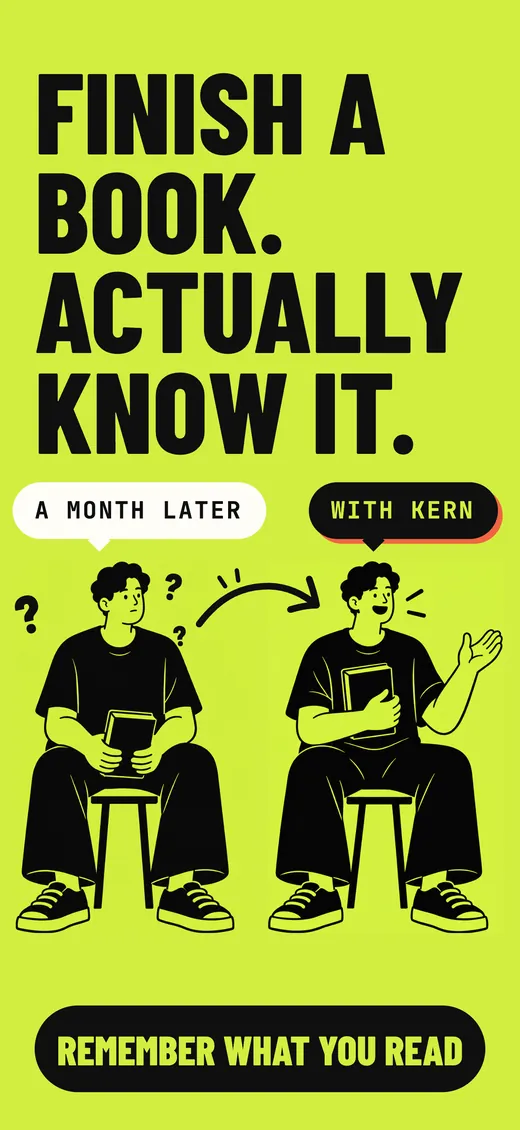
Finish a book. Actually know it. A month later, one reader is surrounded by question marks; the reader who used Kern can still name the ideas: shared fictions, the Cognitive Revolution, 70,000 years ago.
How it works
Any book. Just the title.
You don't upload anything or export highlights. If you finished the book, on paper, Kindle or audio, even back in 2014, Kern can bring it back.
1
Add a book you've read
Type the title and pick the book. You don't need the EPUB, your highlights or any notes.
2
Get its ideas as cards
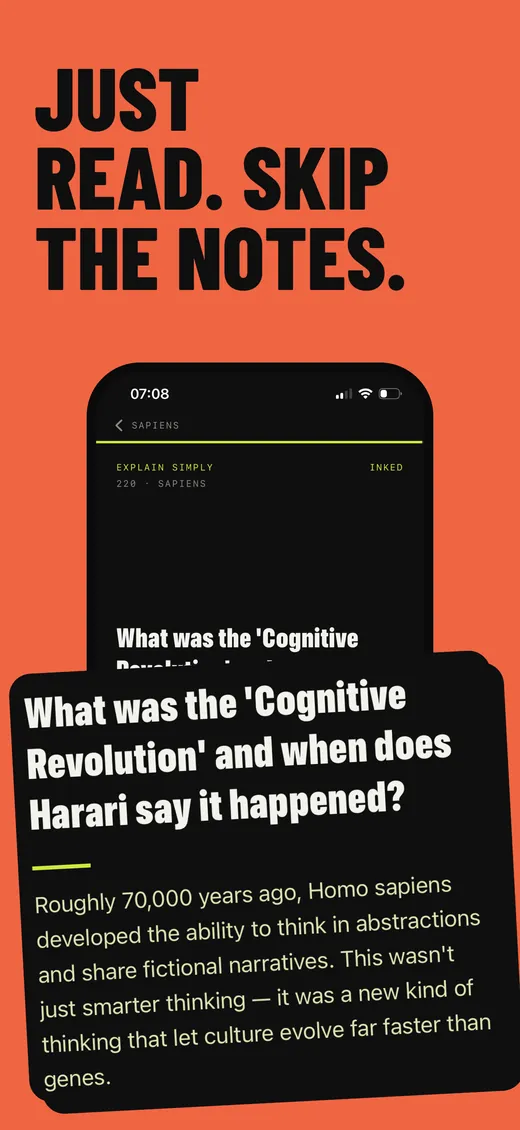
Kern writes a deck of cards from the book's main ideas, examples and surprising claims. It takes a few seconds.
3
Swipe five minutes a day
Cards from all your books interleave in one feed. Spaced repetition brings back the ones you're forgetting, right as they start to slip.
The Wall
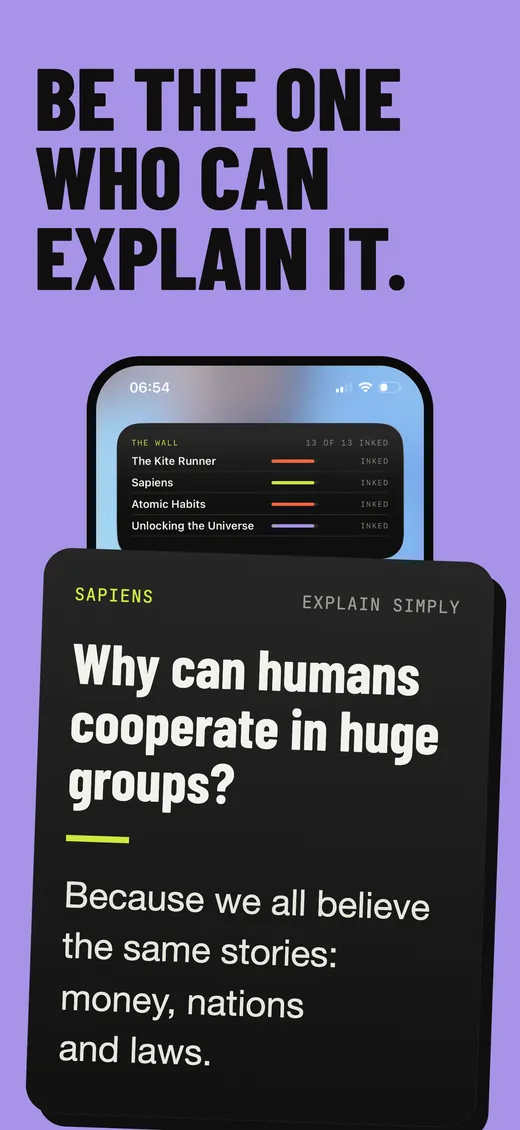
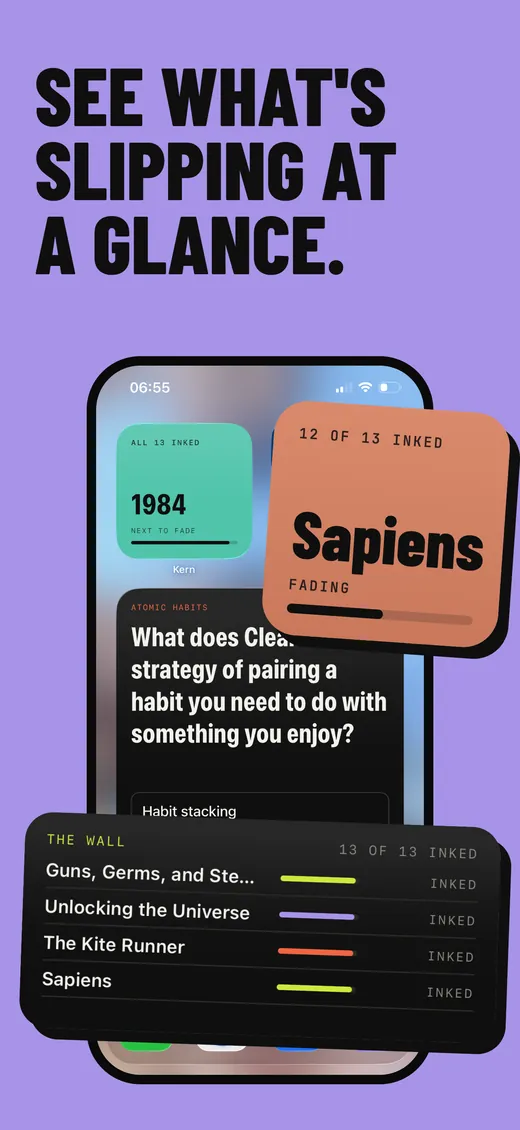
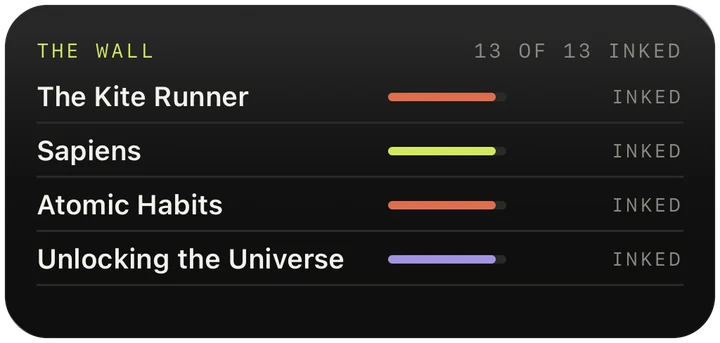
Every book you add lives on the Wall. Review it and it stays inked. Neglect it and you watch it fade. It shows you what's still in your head. There are no streaks to keep up.
Quick checks
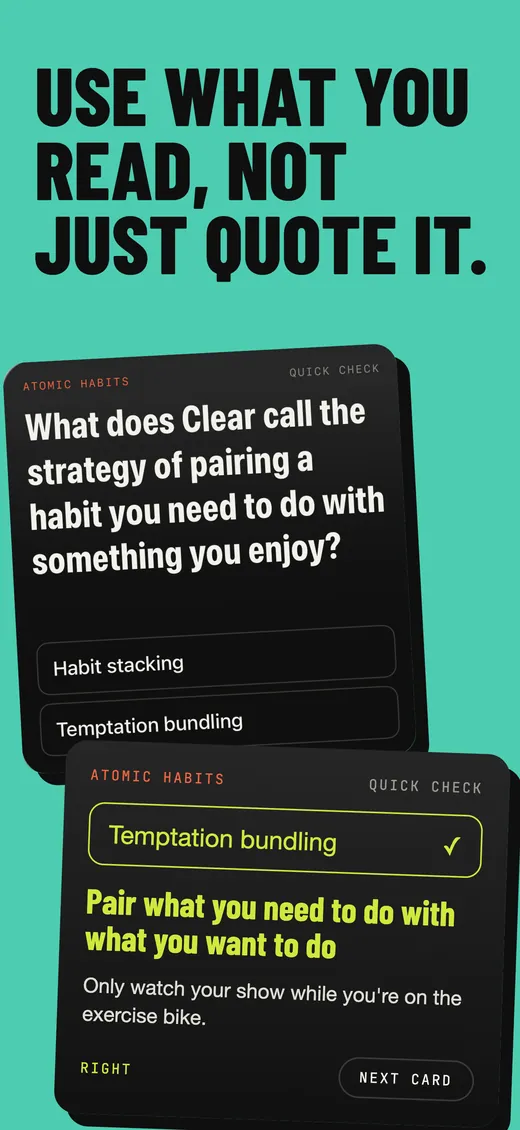
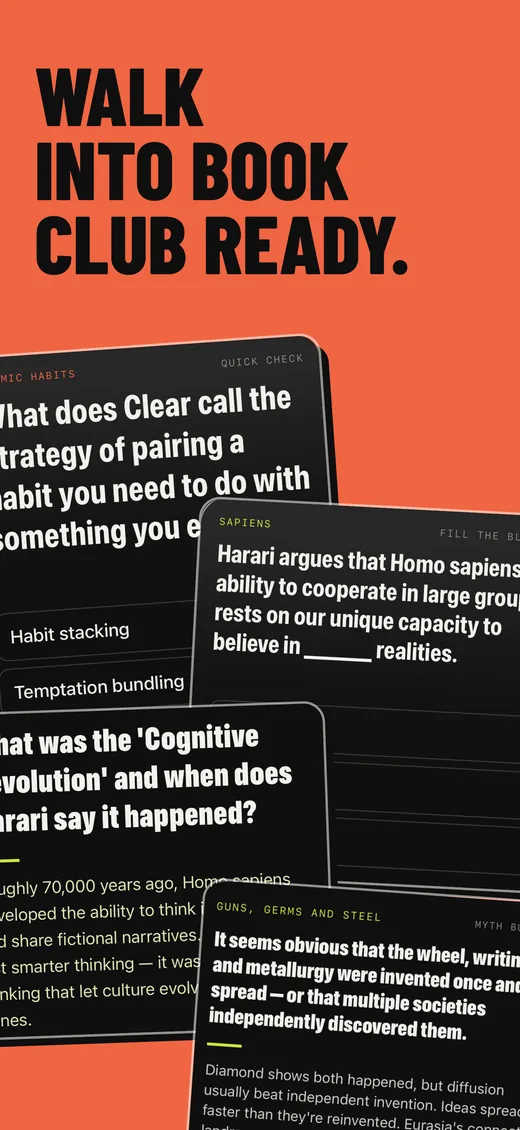
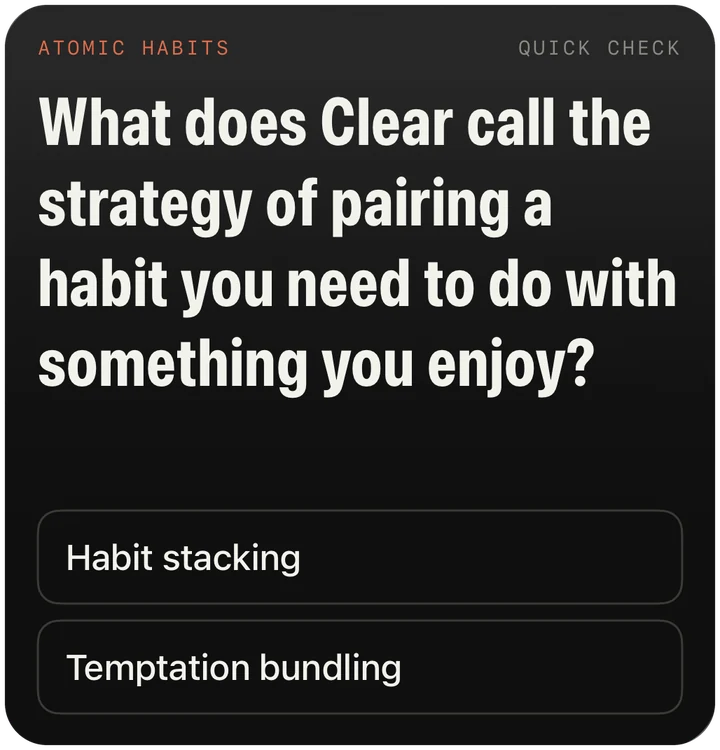
Short cards you answer with a tap. They check whether you can actually recall an idea, which is harder than recognising it.
Original cards, not excerpts
Kern writes every card in its own words. You won't find quotes from the book, and the cards are meant for books you've already read.
Private by default
There's no account to create, and reviews work offline. What you read stays on your phone.
See it
Built to make ideas stick.
New in Kern 1.5
Remember it without opening it.
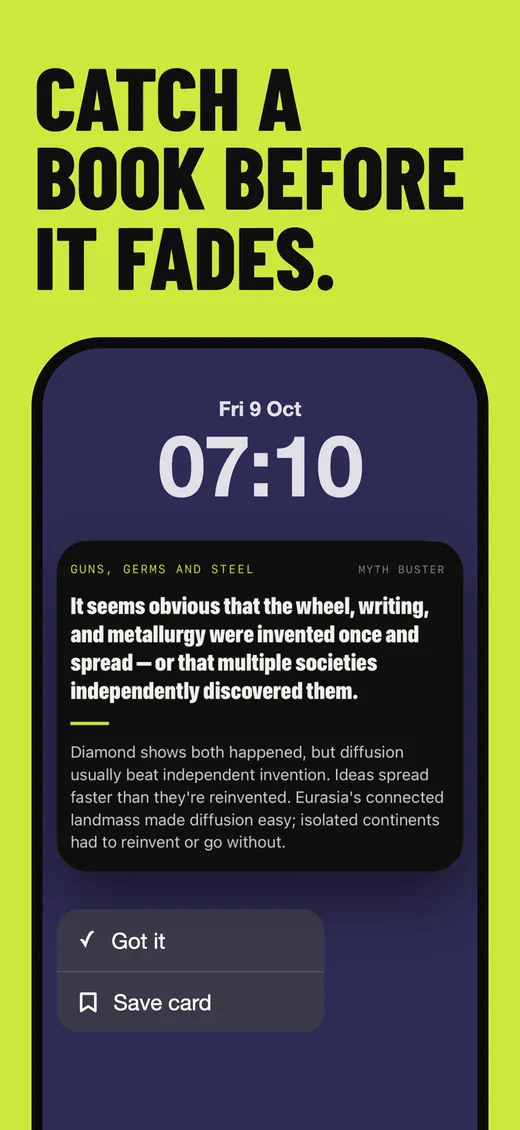
Kern 1.5 adds widgets and reminders, so you can review a card from your Home Screen, check which book is fading on your Lock Screen, and get a reminder at a time that suits you.
SapiensFill the blank
Harari argues that Homo sapiens' ability to cooperate in large groups rests on our unique capacity to believe in realities.
Kern
Card widget
Answer a card right on your Home Screen.
The Card widget shows one card from your books on your Home Screen. Tap an answer, or tap Show and then Got it. The review counts even though you never opened the app.
It comes in medium and large, and the cards rotate through all the books you've added.
This one works. Tap an answer to try it.
The Wall, everywhere
See what's slipping at a glance.
The Wall widget shows how fresh each book is. Add it to your Home Screen in any size, or to your Lock Screen, to see which book to review next.
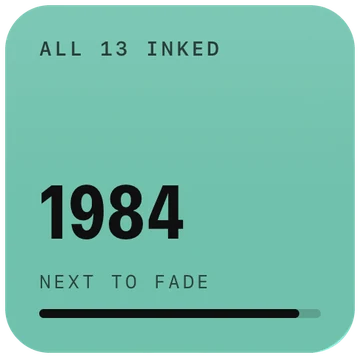
Card · LargeShows the full question and the answer.Wall · SmallThe next book to fade.
INKED1984
Kern · 13/1313/13
Lock ScreenRectangular, circular and inline.Wall · MediumHow fresh each book is. The faded ones come first.
Notifications
One idea, at your quiet time.
Kern only sends a reminder when a review would help, and you can answer the card from the Lock Screen.
When do you have five quiet minutes?
Kern asks you this when you set it up. Your idea lands around then, and only on days you haven't opened Kern.
!A nudge right before you'd forgetA book that slips out of inked is one you're starting to forget. A review helps most at that point, so Kern lets you know.
↧Long-press to read the whole cardThe notification expands to show the card and its answer. Tap Got it, or Save card to come back to it later.
⌂Scheduled on your iPhoneReminders are scheduled on your phone. Nothing is sent to a server.
Fri 9 Oct
07:10
INKED1984
13/13
Guides
Read better. Keep more.
Short guides on remembering what you read, and the research behind it.
Type a title, get a deck of cards, and review them on the Wall. The video shows the whole flow.
FAQ
Questions, answered.
How do you remember what you read?
The most reliable way is active recall plus spaced repetition: test yourself on a book's key ideas at growing intervals instead of re-reading or highlighting. Kern does this for you. It turns a book you finished into recall cards and brings them back shortly before you'd forget them. Learn more
Why do I forget books a few weeks after finishing them?
Because of the forgetting curve: memory for new information decays exponentially, and most of a book is gone within weeks unless it's retrieved. Reading something once lets you recognise it later, but usually not recall it. Spaced review interrupts the curve and moves ideas into long-term memory. Learn more
Does spaced repetition work for books?
Yes. Spaced repetition is one of the best-tested findings in learning research, and it works for the ideas in a book as well as it does for vocabulary. Making the cards was always the hard part. Kern makes them from the title and schedules the reviews. Learn more
How do I make flashcards from a book without highlights or notes?
You don't need highlights. Type the title and Kern builds a deck of original cards from the book's key ideas, examples and surprising claims. The cards are written in Kern's own words rather than quoted, and they're ready in a few seconds. Learn more
Does Kern work with audiobooks and paper books?
Yes. Kern only needs the title, so it works for any book you've finished: paper, library copies, Kindle, audiobooks, even the one you read in 2014. You don't need to import or sync anything. Learn more
Is Kern a book summary app like Blinkist or Headway?
No. Summary apps compress books you haven't read; Kern makes the books you have read stick. The cards cover ideas from books you've already read, in Kern's own words, and spaced repetition keeps those ideas with you. Learn more
Does Kern have Home Screen and Lock Screen widgets?
Yes. The Card widget (medium and large) puts a card from your books on your Home Screen: tap an answer, or Show and then Got it, without opening the app. The Wall widget (small, medium and large) shows how fresh each book is, faded ones first. Lock Screen widgets show the next book to fade and how many books are still inked. Kern requires iOS 17 or later. See the widgets
Does Kern send reminders to review?
Only if you allow notifications. Kern sends one idea around the quiet time you choose, and only on days you haven't opened the app, plus a heads-up when a book starts to fade. Long-press a reminder to read the whole card, then tap Got it or Save card. Every reminder is scheduled on your iPhone; nothing goes through a server.
How much does Kern cost?
Your first book is free, and you don't need to pay or make an account. After that, Kern Plus (monthly or yearly) unlocks unlimited books, or unlock a single book with a one-time purchase. Subscriptions renew automatically unless cancelled at least 24 hours before the period ends. Get the app
Do I need an account to use Kern?
No. Kern has no sign-up and no account, and reviews work fully offline. Your library stays on your device. Read the privacy policy
App Store reviews
From people who finished the book.
Real, unedited reviews from the App Store.
★★★★★
So useful!!!
This app is such a great way to get most important points of the books you read! Lessons pulled from them put into easily readable cards! Phenomenal work!
kapza94 · Serbia · App Store
★★★★★
Cool app
Long time ago I had read the book “The Last Lecture”. This app really brought back all memories of it. It was really good book. Thanks Kern for bringing it back.
SM1467 · Croatia · App Store
★★★★★
Great App
This is exactly what I was looking for! This app helped me to remember all the important things from all the books I read.
Mariom753 · Austria · App Store
Books fade. Bring them back.
Start with the last book you finished. A month from now, you should still be able to explain it.
Free to download. Your first book is free, with no payment or account needed. Kern Plus unlocks unlimited books, or unlock a single book once and keep it forever.
 kern
kern